
WatsonMIDI
Capture the Music.
Share the Ministry.
Professional MIDI Recording for Organists
WatsonMIDI is the premier app for pipe organ and keyboard musicians to record, organize, and share their performances. Perfect for church musicians, concert organists, and anyone who wants to preserve their musical artistry.
Powerful Features for Musicians
Everything you need to record, organize, and share your organ performances
Universal MIDI Recording
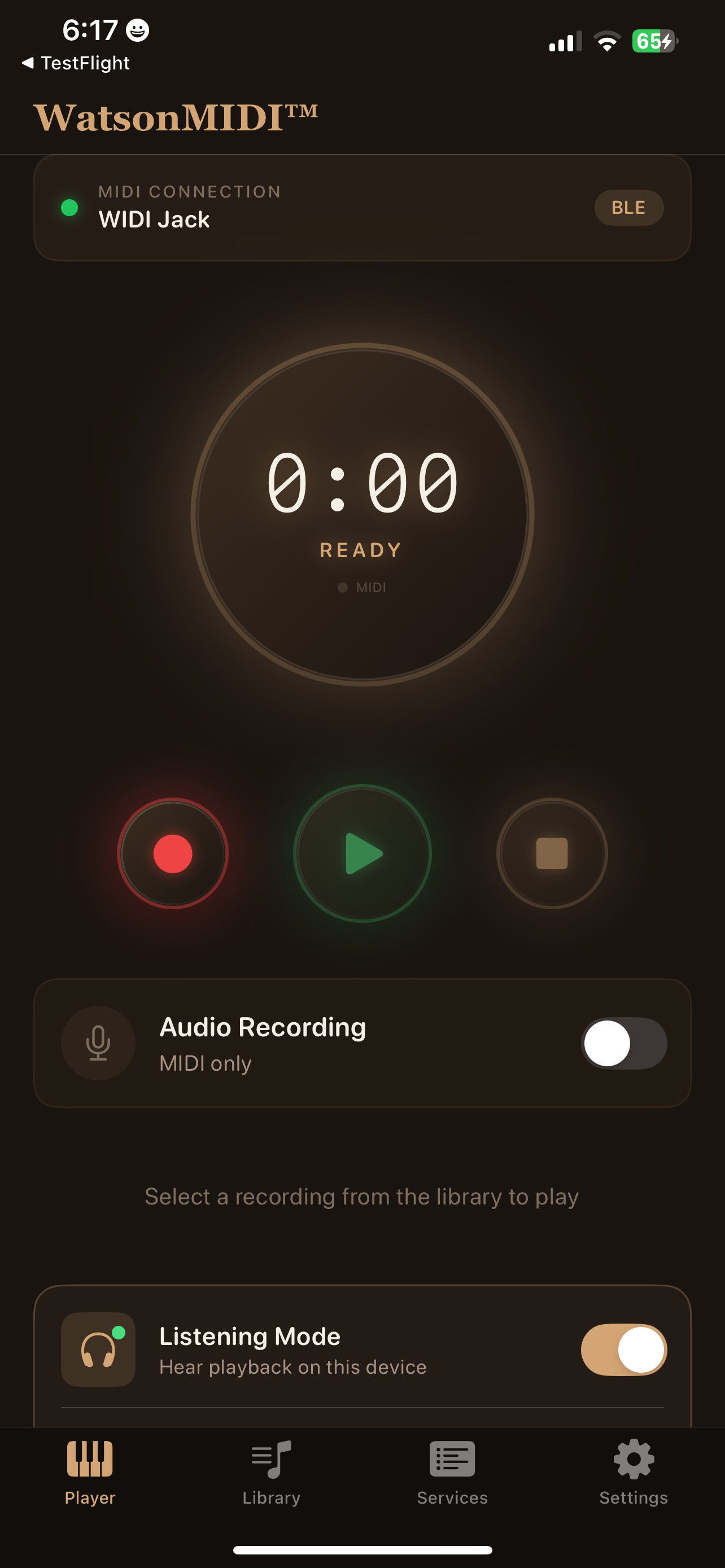
Record from any pipe organ, digital organ, or keyboard with MIDI output. Capture every note, expression pedal movement, and stop change with perfect accuracy.
Wireless Bluetooth MIDI
Connect wirelessly using CME WIDI Jack or other Bluetooth MIDI adapters. Auto-reconnect remembers your device for instant connection every time.
Smart Library Organization
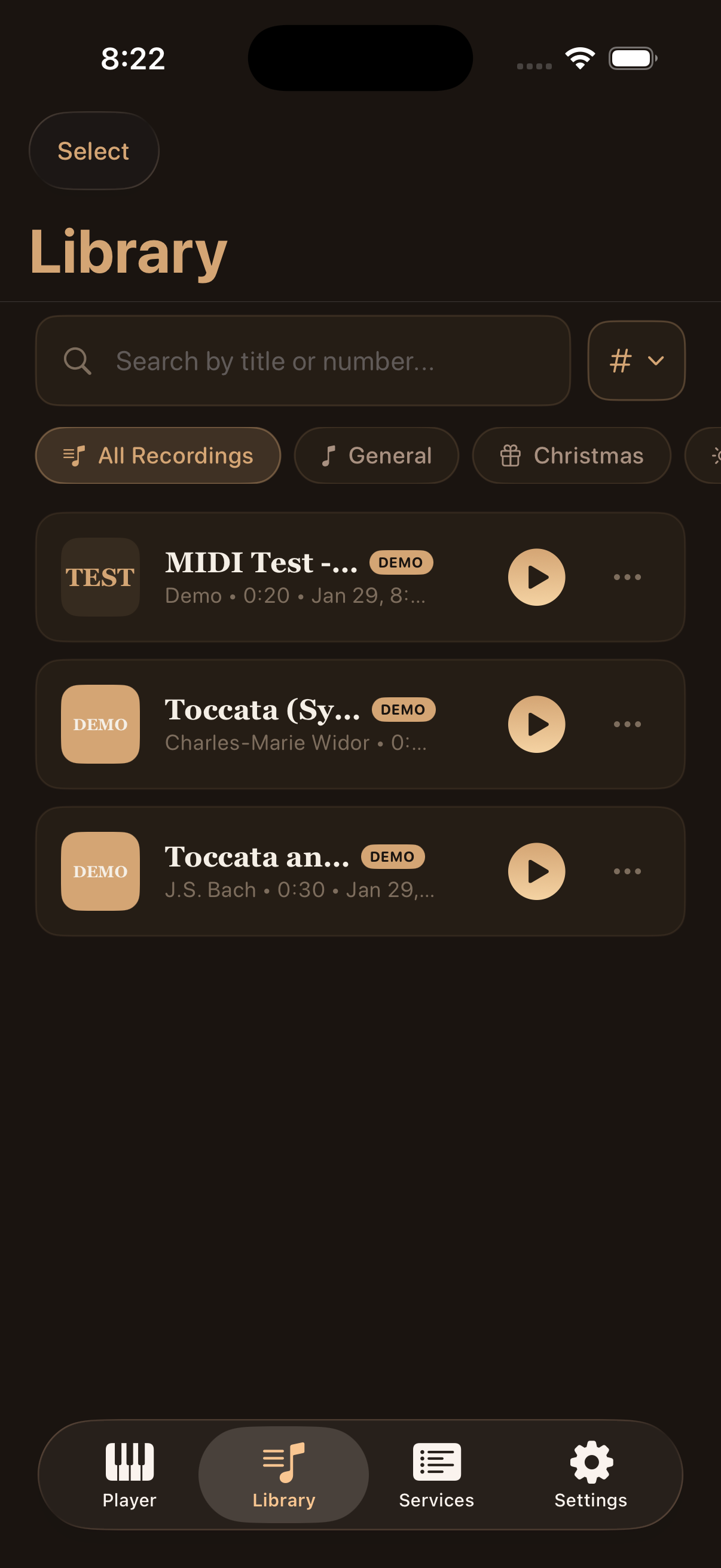
Organize recordings into folders by season, venue, or occasion. Create custom folders, search by title or number, and sort your library your way.
Service Planning
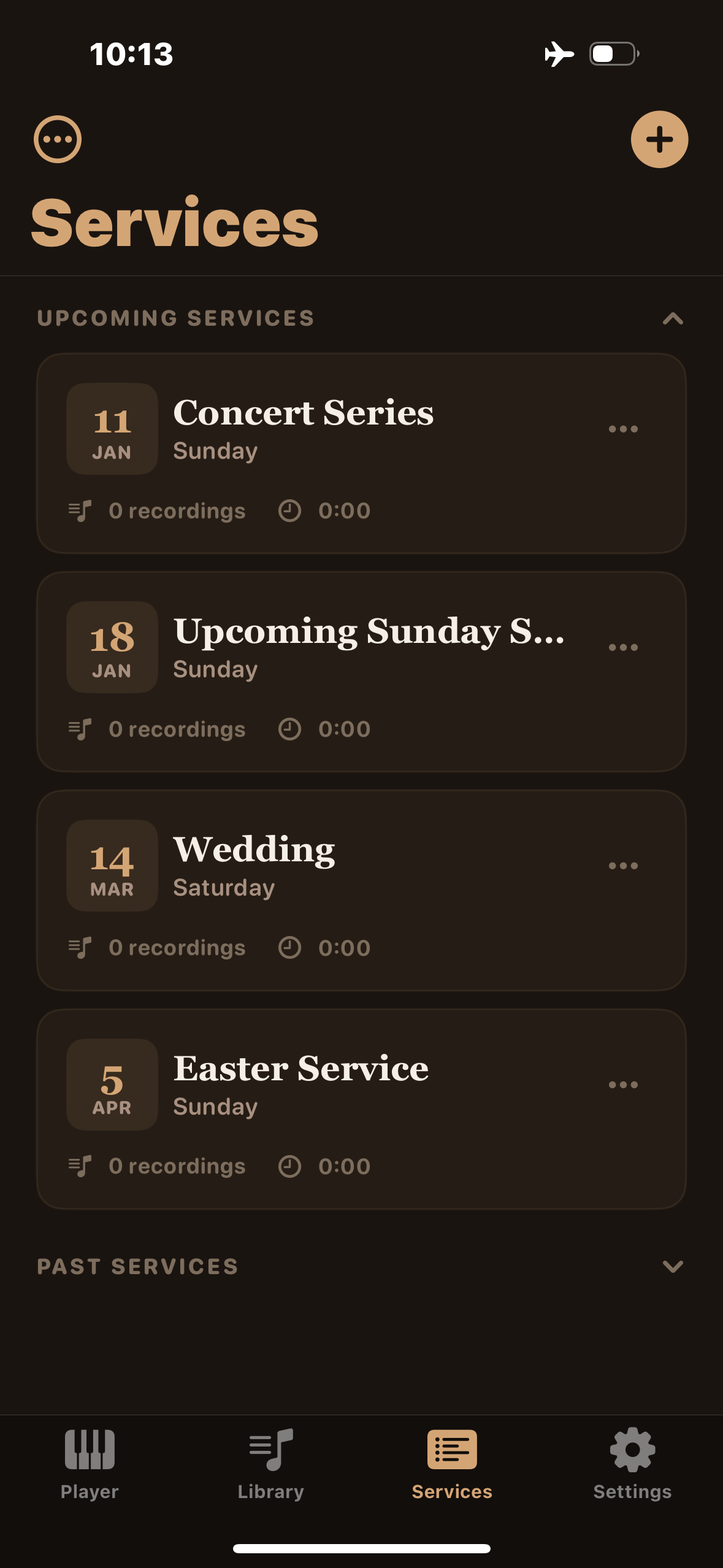
Create playlists for Sunday services, weddings, funerals, and special events. One-tap access to each recording in the order you need them.
Listening Mode
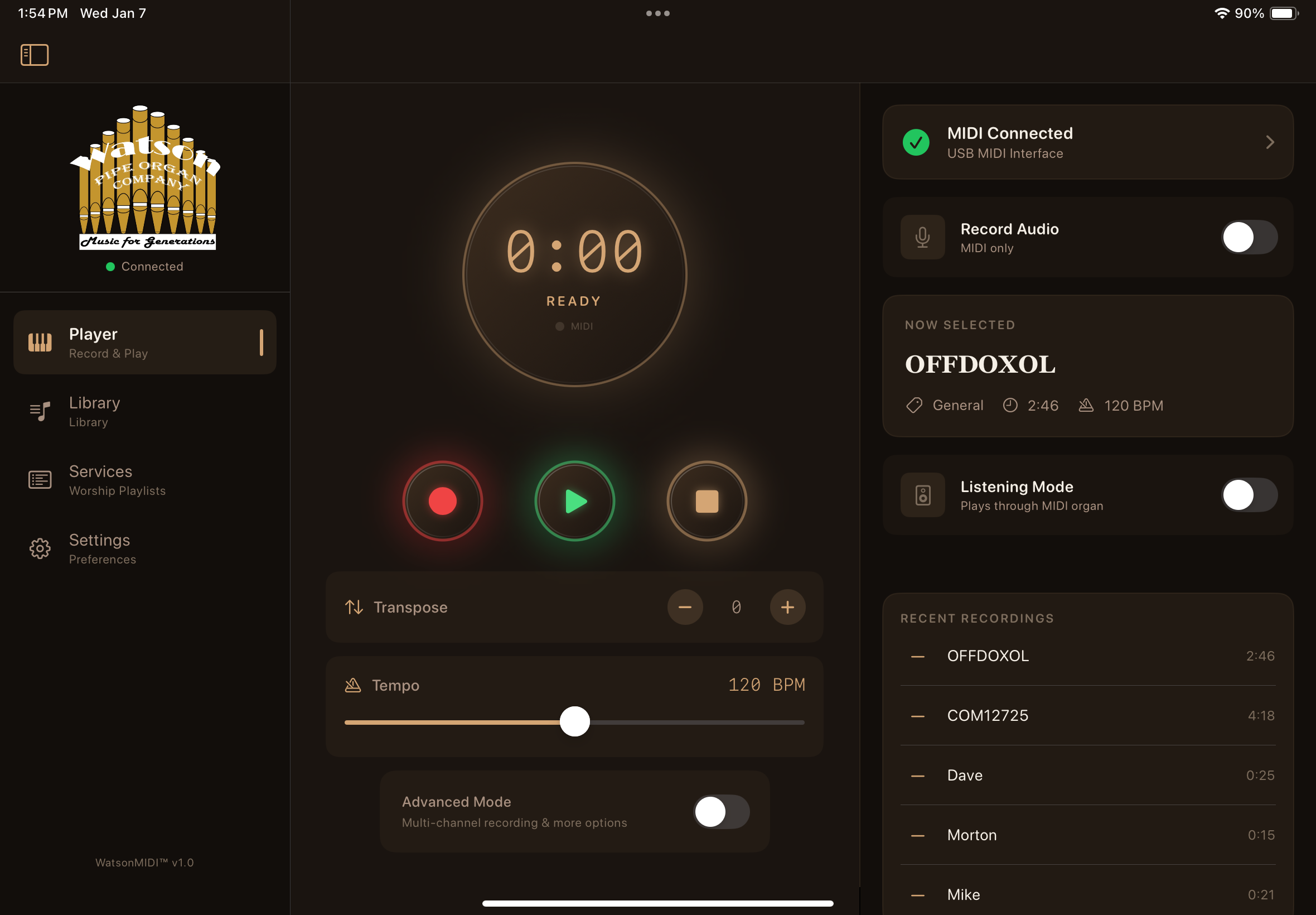
Preview recordings through your iPad speakers or headphones without connecting to an instrument. Perfect for practice and preparation.
Audio Room Recording
Capture the actual room sound alongside your MIDI data. Hear exactly how your performance sounded in the sanctuary.
Tempo & Transpose
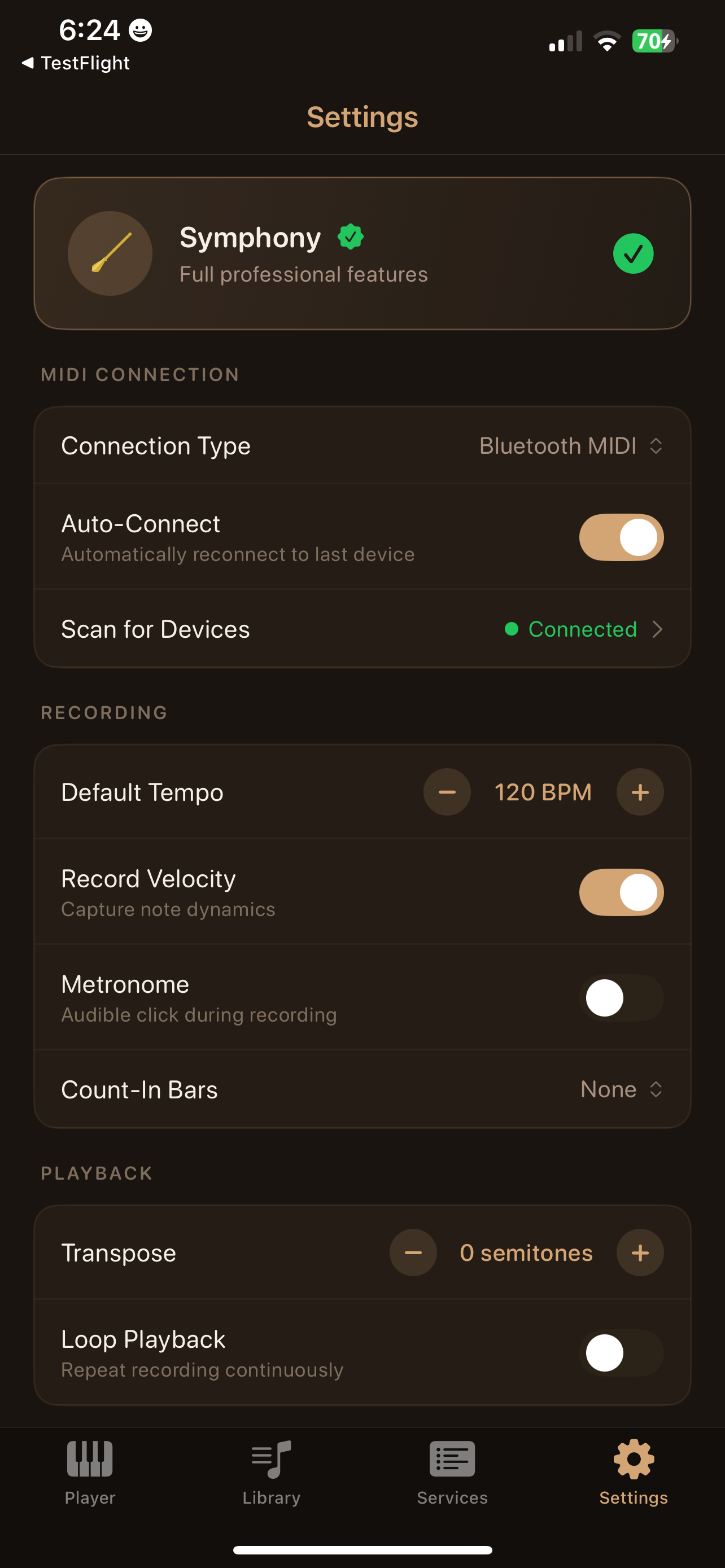
Adjust playback tempo from 40-200 BPM and transpose up or down 12 semitones. Perfect for accommodating different service needs.
Backup & Restore
Create complete backups of your entire library or select specific folders. Store safely in iCloud Drive and restore to any device.
DRM Protection
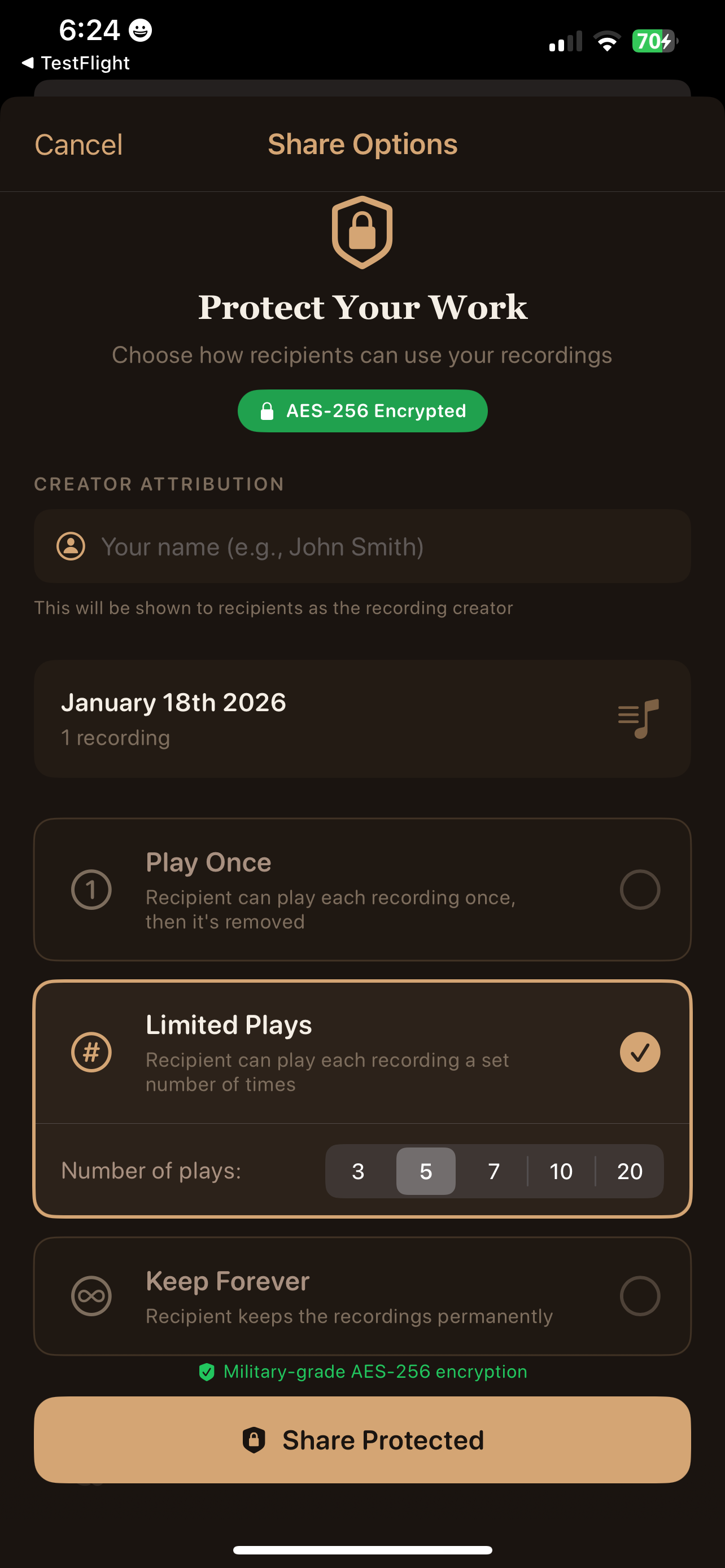
Symphony tier includes encrypted sharing with play limits. Protect your intellectual property while sharing with churches and clients.
How It Works
From connection to playback in four simple steps
Connect
Plug in your MIDI cable or connect via Bluetooth MIDI adapter
Record
Tap record and play your piece — all MIDI data is captured
Organize
Name, categorize, and organize recordings in your library
Play
Select a recording and play it back through your instrument
See It In Action
Designed for musicians, by musicians
Video Tutorials
Watch step-by-step guides to master WatsonMIDI
Getting Started with WatsonMIDI
Learn how to connect your instrument, make your first recording, and start organizing your library.
MIDI Connection Setup
Complete guide to wired and wireless MIDI connections
Creating Service Playlists
Organize your recordings for Sunday worship services
Sharing & IP Protection
Learn how to safely share recordings with your church
Want more tutorials and tips?
Subscribe to @WatsonMIDI on YouTubeWorks with Virtual Organ Software
WatsonMIDI now supports Separate MIDI Routing, letting you record and play back through virtual pipe organ software like GrandOrgue and Hauptwerk on your Mac. Practice with world-class organ samples from home, or use a virtual organ as your sound source for recording and playback.
This feature was built on feedback from users in the U.S. and overseas, expanding WatsonMIDI beyond physical organ consoles into more diverse recording and playback scenarios.
- 🎵 Separate MIDI Routing — Dedicated input and output paths keep your keyboard and playback signals clean and independent
- 🖥️ Mac IAC Driver Integration — Route WatsonMIDI playback through macOS virtual MIDI ports directly into GrandOrgue or Hauptwerk
- 🎹 Live Play + Record + Playback — Play your MIDI keyboard live through GrandOrgue, record your performance, and play it back through the same virtual organ
- 🏠 Practice Anywhere — No pipe organ required. Record at home with a keyboard and virtual organ samples, then share with your church
Your Music. Your Rights. Protected.
Your recordings represent years of training, hours of practice, and your unique artistic interpretation. WatsonMIDI is designed to help you protect this valuable intellectual property.
- 🔐 Local Storage Only — Your recordings stay on YOUR device, never uploaded to any cloud server without your consent
- 📄 Proprietary Format — WatsonMIDI files contain embedded creator metadata and can only be opened in the app
- 🔒 DRM Encryption — Symphony tier enables encrypted sharing with play limits you control
- ✅ You Own Your Work — You retain full copyright to your performances and control all distribution
Property Protected
Build a MIDI Recording Services Practice
The Organist’s Business Guide
Thousands of beautiful organs sit silent every Sunday because churches can’t find a qualified musician. As a professional organist with WatsonMIDI, you can serve these churches while building a sustainable income from your musical skills.
Our free Organist’s Business Guide walks you through everything you need to get started — from finding churches and making your first demo visit, to setting up service packages and protecting your intellectual property.
- ⛪ How to find and approach churches that need your services
- 💰 Pricing guidelines for live performance and virtual organist rates
- 🔧 Technical setup checklists for pipe and digital organs
- 📝 Sample outreach emails and proposal templates
- 🤝 Client retention strategies and referral growth
Choose Your Edition
From personal practice to professional performance
Practice
- 1 service playlist
- 5 recordings
- 5-minute recording limit
- Basic playback controls
Audition
- 5 service playlists
- 50 recordings
- Unlimited recording length
- Full playback controls
- Listening mode
- Backup & restore
Recital
- Unlimited playlists
- Unlimited recordings
- Unlimited recording length
- Full playback controls
- Listening mode
- Backup & restore
Symphony
- Everything in Recital, plus:
- Audio room recording
- DRM-protected sharing
- Commercial licensing rights
Documentation & Guides
Everything you need to get started and master WatsonMIDI
Quick Start Guide
Get up and running in minutes. Connection setup, first recording, and basic playback.
View PDFComplete User Manual
Comprehensive guide covering all features, IP protection, backup strategies, and advanced usage.
View PDFMIDI Connection Guide
Detailed instructions for wired USB-MIDI and wireless Bluetooth MIDI connections.
View PDFVirtual Organ Setup Guide
Step-by-step setup for GrandOrgue and Hauptwerk with Separate MIDI Routing on Mac.
View PDFIP Protection Guide
Understand your rights and learn how to protect your musical intellectual property.
View GuideNeed Help?
Our team is here to support you